

01 / The context
A student record, on a small screen.
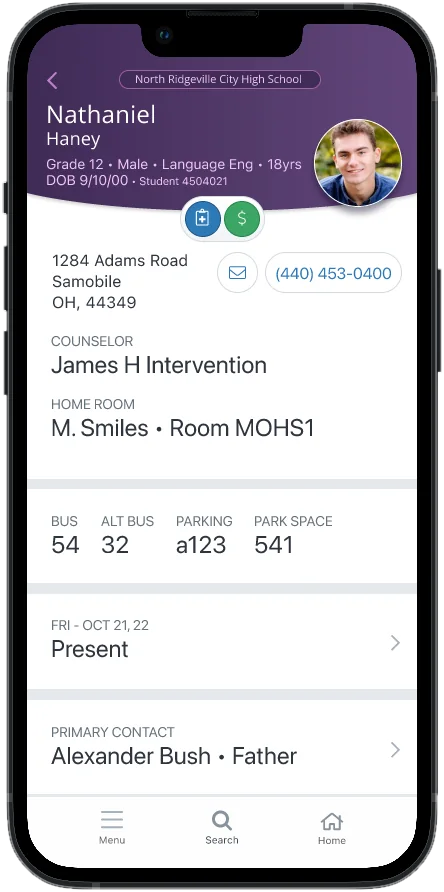
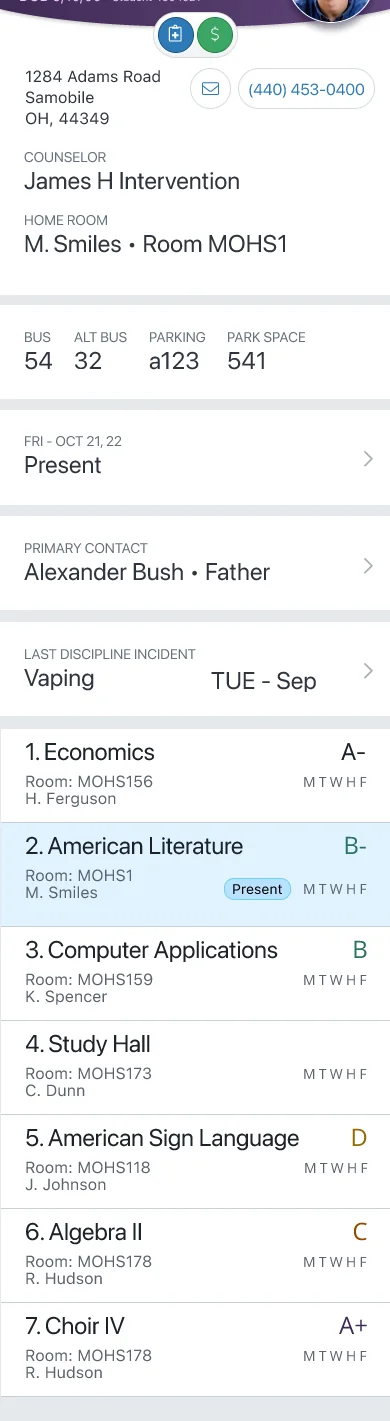
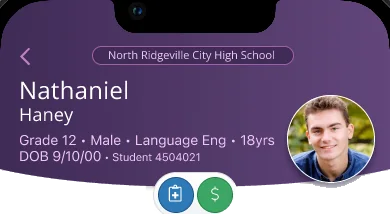
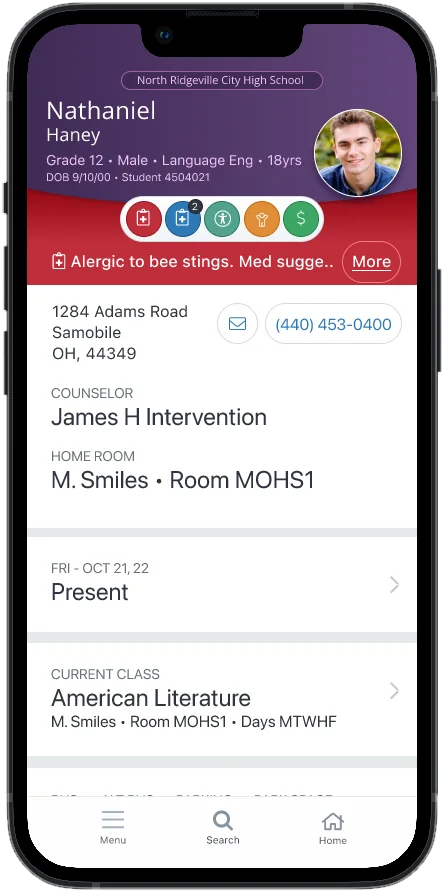
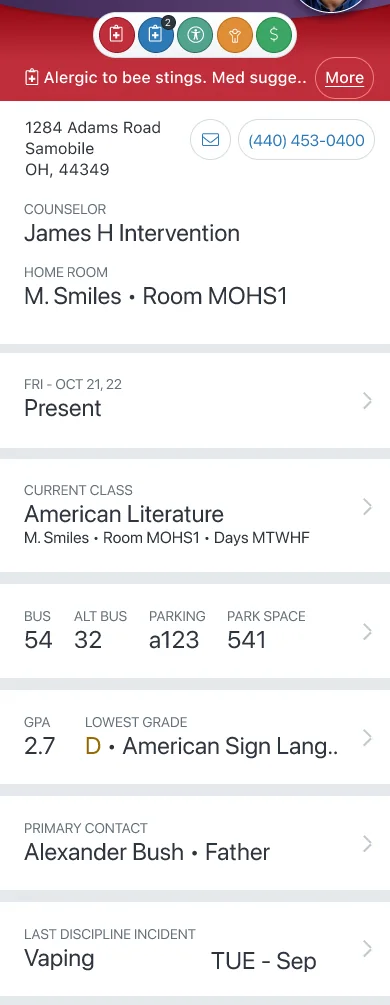
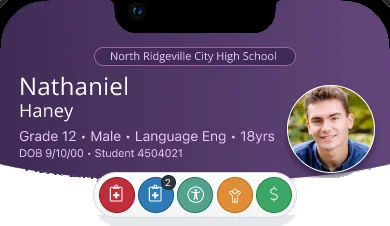
The ProgressBook SIS Admin mobile app lets school administrators look up the essentials about a student without going back to a desk: a picture, contacts, alerts, schedule, attendance, discipline and grades.
The first version was a hybrid app. Its landing page was a wall of announcements and how-to’s, and the most visited page, student search, sat behind a menu. The redesign for Frontline Education treats the app as a tool for a quick, specific question: who is this student, and is there anything I should know?
The work is still in progress, so this page shows the design as it stands, with the open questions still on the board.
3
Tabs: Menu, Search and Home
1
Student in context at a time, named right in the menu
7
Student sections one tap from the menu
03 / Home
Open on the school, not the announcements.
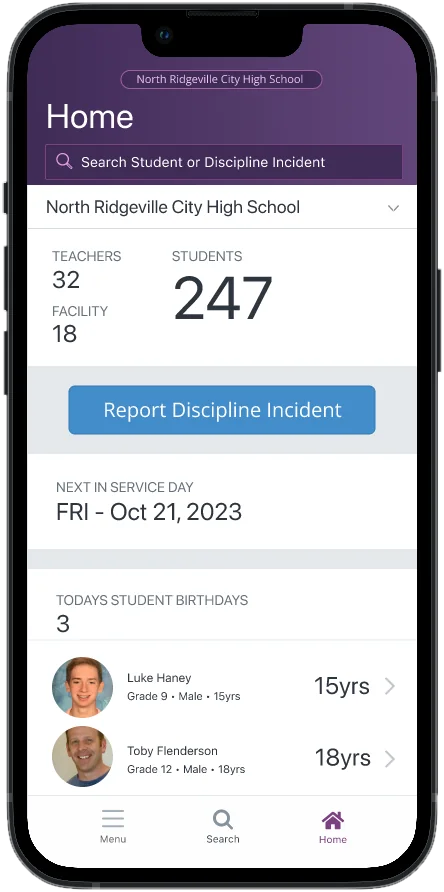
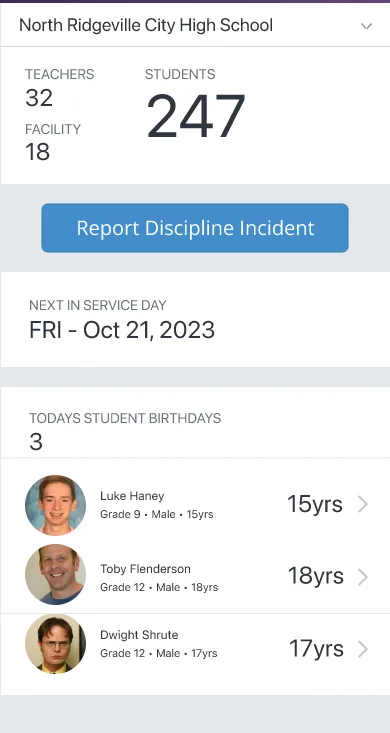
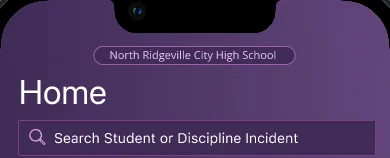
Home now starts with a search field and the school the person works in, then answers the questions that come up first in a school day.
Search, right on top
The most visited task is the first thing on the screen.
The school at a glance
Teacher, student and facility counts under a school selector for people who work in more than one building.
The things you would otherwise hunt for
A Report Discipline Incident button, the next in-service day and today’s student birthdays.

05 / Menu and context
The menu knows who you are looking at.
With no student selected, the menu is short: Search, Bell Schedule, Help and Settings. Pick a student and the menu grows to include their name, a Switch link and seven sections about them.
Before: the legacy menu
Now: two states of one menu
Getting in
Sign in, settings and the school year.
The sign-in screen carries the StudentInformation name and a Switch link for the district. Settings keeps what a person sets once: default school, school year and Log Out.

07 / Attendance and schedule
The answers behind the row.
Each summary row on the profile opens to its full story. Attendance starts with today and goes back through tardies, unexcused absences and truancy. The schedule lists each class with its grade and days, and marks the one in session.